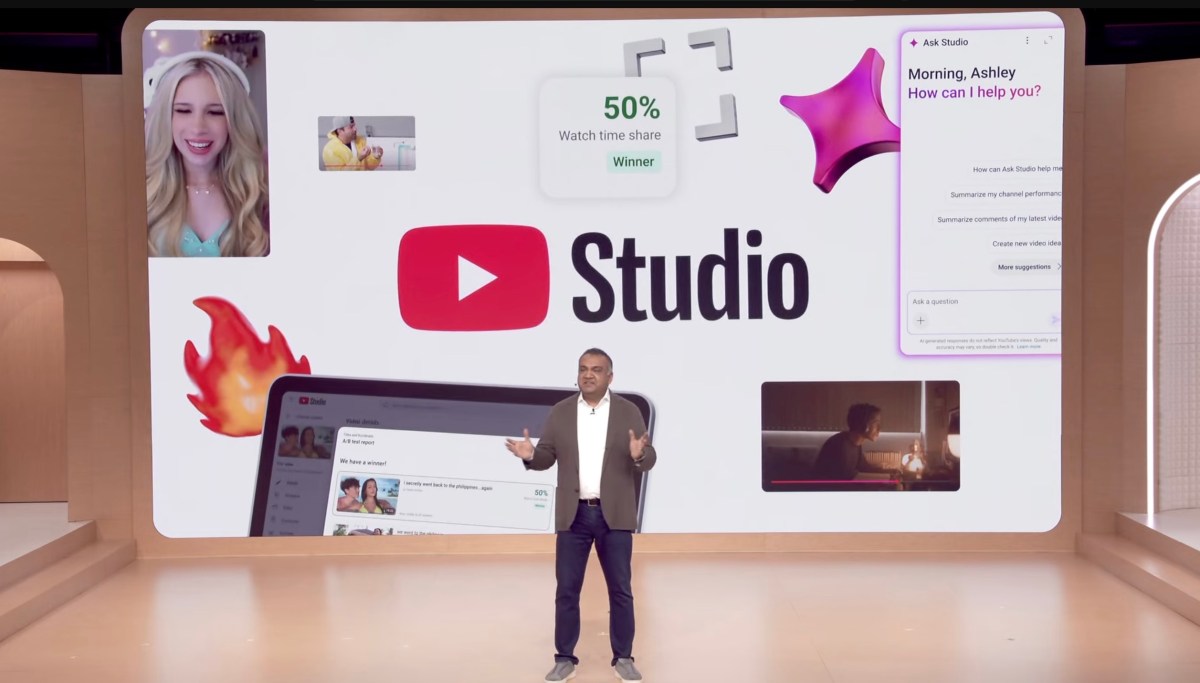
YouTube just handed creators a set of tools that most of them will underuse. The new AI suite inside YouTube Studio cuts editing and production time by up to 40%, according to YouTube. That means the gap between creators who adapt and those who don’t is about to get a lot wider, a lot faster.
Why This Is Happening Now
YouTube reached 2.7 billion monthly active users in 2025, according to Statista. The platform isn’t just where people watch videos anymore. It’s where creators build real businesses. Ad revenue, memberships, merchandise, sponsorships. The money is real.
But production costs have always been the wall. Hiring editors, thumbnail designers, caption writers, translators. For smaller creators, those costs eat the margin. YouTube knows this. That’s why the new AI features inside YouTube Studio are pointed directly at the production side of the business, not just the content side.
The update includes AI-generated video summaries, automated chapter markers, smart thumbnail suggestions, and a voice dubbing tool that can translate your videos into multiple languages without you recording a single extra take. YouTube confirmed these tools are rolling out to creators globally through 2026.
The Real Story Here Is Not Features. It Is Money.
Most creators will see this announcement and think “cool tools.” That’s the wrong reaction.
The creator economy hit $480 billion in total market value in 2025, according to Goldman Sachs. YouTube is the single largest platform inside that number. And for years, the most expensive part of being a creator wasn’t the camera or the lighting. It was the time. Time to edit. Time to write descriptions. Time to cut captions. Time to translate for international audiences.
YouTube’s AI dubbing feature alone could change the math completely. A creator with a strong English-speaking audience now has a direct path to Spanish, Portuguese, Hindi, and French audiences without paying a voiceover artist or a translation agency. According to YouTube, dubbed videos with AI voices have seen engagement rates comparable to native-language content in early tests. That’s a new revenue stream with almost no new production cost.
The thumbnail AI is another one people are sleeping on. According to a study by TubeBuddy, thumbnail quality is one of the top three factors in click-through rate. If you can generate ten thumbnail variations in 30 seconds and test them in real time, you’re compounding your clicks. Most creators still pick one thumbnail and hope for the best. That’s a losing strategy, and now there’s no excuse for it.
I’ve watched a lot of creators treat AI tools like a gimmick. That’s a mistake. The ones treating these features like an actual production workflow are going to operate at a fraction of the cost. If you make three videos a week and these tools save you four hours per video, that’s 12 hours a week back. What are you doing with those hours? More content? Better content? Or are you watching someone else pass you?
If you want to build video production workflows outside YouTube Studio as well, InVideo AI handles scripting, editing, and voiceover generation so your output doesn’t drop when your time does. It pairs well with what YouTube is now offering natively.
What I Would Do With These Features Right Now
First, turn on AI chapters and summaries for every video you’ve already published. YouTube indexes chapter markers for search. More indexed entry points means more chances to rank. This takes about two minutes per video.
Second, activate AI dubbing for your top ten performing videos. Pick your strongest content, not your newest. Translate them into Spanish and Portuguese first. Those two languages represent over 700 million native speakers with growing YouTube usage, according to Statista. You’re leaving real ad money on the table if you don’t.
Third, use the thumbnail AI in A/B test mode. Don’t just pick the AI’s first suggestion. Generate five versions and let YouTube split test them. Check your click-through rate in Studio Analytics after 48 hours and kill the losers.
Fourth, use the AI-generated description as a starting draft, not a final copy. Edit it. Add your voice. Add timestamps. Add your links. The AI gets you 70% of the way there. You finish it in five minutes instead of 25.
If you’re building a creator business and want to keep tool costs low, AppSumo regularly features lifetime deals on creator and video tools that cut down on monthly subscription bills. Worth checking before you commit to anything recurring.
These features don’t replace your creativity. They remove the friction between your idea and a finished video. That’s where most creators lose. Not in ideation. In execution.
The Bottom Line
YouTube just made it cheaper and faster to build a content business. Most creators will ignore half of these features for six months and then complain about slow growth. The ones who run these tools into their workflow today will compound their output and their income while the others catch up. The AI isn’t coming for your channel. It’s coming for your excuses.
Frequently Asked Questions
What AI features did YouTube add to YouTube Studio in 2026?
YouTube Studio now includes AI-generated video summaries, automatic chapter markers, smart thumbnail suggestions, and an AI dubbing tool for multi-language translation. These features are designed to reduce the time creators spend on post-production tasks. Most are rolling out globally to all eligible creator accounts.
Does YouTube Studio’s AI dubbing feature sound natural?
According to YouTube, early tests show audience engagement rates for AI-dubbed videos are comparable to native-language content. Quality has improved significantly from early versions. Results will vary based on your original audio clarity and the target language.
How do YouTube Studio AI features affect a creator’s revenue?
The biggest impact is cost reduction and audience reach. AI dubbing opens new regional ad markets. Better thumbnails improve click-through rates. Faster production means more content output. Combined, these factors can meaningfully increase a channel’s revenue without increasing spend.
Are YouTube’s new AI tools free to use?
Most of the new YouTube Studio AI features are available at no extra cost to creators on the platform. Some advanced features may be tied to YouTube Partner Program eligibility. Check your Studio dashboard for what’s live on your account.
How do YouTube Studio AI features compare to third-party tools?
YouTube’s native tools have the advantage of direct integration with your analytics and publishing workflow. Third-party tools can offer more flexibility for scripting and editing outside the platform. The smart move is to use both where they fit rather than treating them as competitors.