OpenAI Lockdown Mode Blocks Hackers From Stealing Your Data
Here is the full article: — “`html
OpenAI Lockdown Mode Blocks Hackers From Stealing Your Data
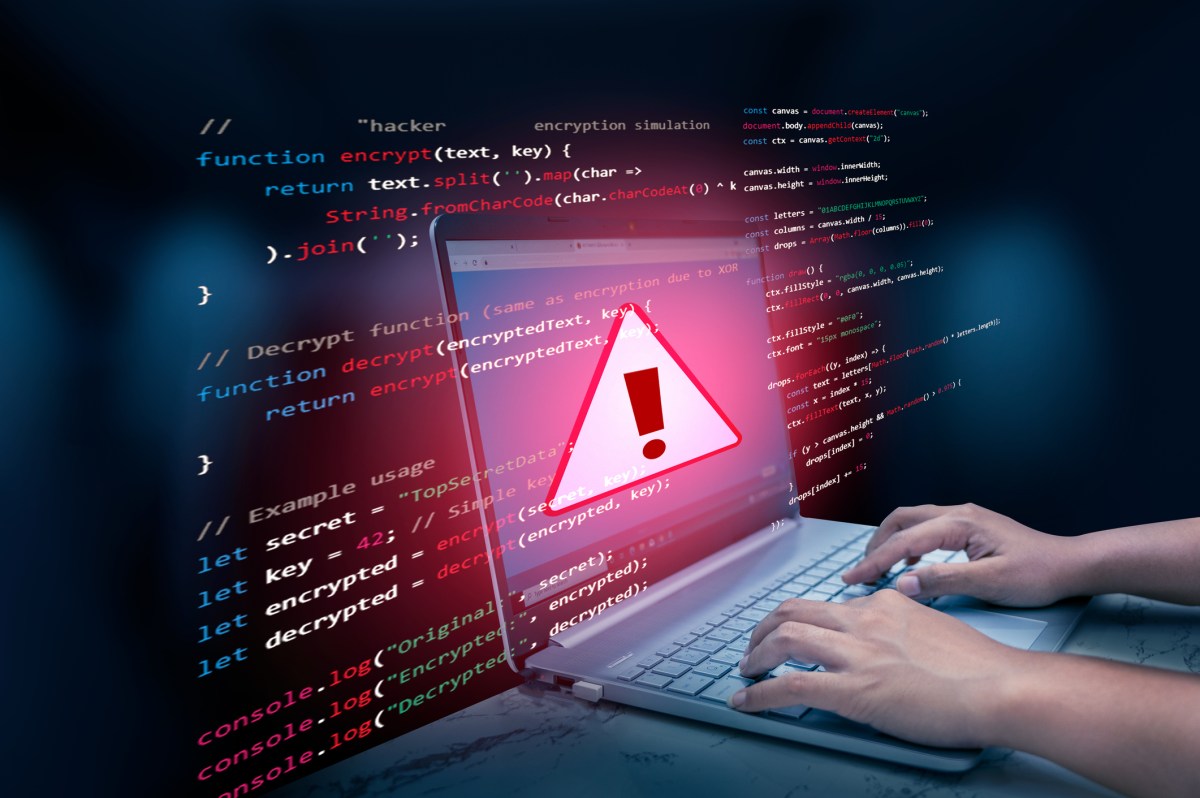
OpenAI just built a wall around your most sensitive conversations. Prompt injection attacks have stolen data for years. Hidden code inside a PDF hijacks the model and sends your private information to criminals. Lockdown Mode doesn’t stop the attack. It stops your data from ever leaving. That’s the part that actually costs you money.
Why This Is Bigger Than Most People Think
According to OpenAI, Lockdown Mode launched first for enterprise customers and then expanded to every account tier including Free, Plus, Pro, and self serve ChatGPT Business workspaces. That expansion tells you something important. This isn’t just a corporate IT problem anymore. If you use ChatGPT for anything sensitive, this affects you directly.
The attack is simple to understand. A bad actor plants malicious instructions inside a PDF, a website, or an uploaded file. You process that content in ChatGPT. The model gets hijacked. Then it tries to transmit your private data to an outside server. According to OpenAI, prompt injection remains an unsolved, persistent vulnerability across the entire AI industry. Not just ChatGPT. Every major model faces this problem right now.
According to IBM’s Cost of a Data Breach Report 2024, the average data breach costs companies $4.88 million. As AI agents take on more sensitive financial, legal, and medical work, that number climbs. The timing of this release is not an accident.
The Contrarian Take Nobody Is Saying Out Loud
Most coverage of Lockdown Mode frames it as OpenAI solving prompt injection. That framing is wrong, and OpenAI itself says so.
According to OpenAI, Lockdown Mode does not stop malicious instructions from appearing inside content the model processes. It does not protect the accuracy of a response after an injection attempt. What it does is one specific thing: it cuts all outbound network requests. No outbound request means no data theft. The attack can still happen. Your data just can’t leave.
I actually think this is the smarter approach. Most security products in tech try to stop every possible attack at the source. That strategy fails constantly because attackers adapt faster than filters do. According to the OWASP Top 10 for Large Language Model Applications, prompt injection is rated the number one security risk for AI systems. That ranking has held firm. It’s not moving because it can’t be solved at the point of entry.
The smarter play is to cut off the profit motive. Lock the exit and it doesn’t matter how many times someone picks the lock inside. No transmission, no breach. That’s a deterministic guarantee, which is rare in security.
When you enable Lockdown Mode, according to OpenAI, you lose access to Deep Research, Agent Mode, live external connectors, Canvas networking, and file downloads. Live web browsing gets replaced with cached content only. Automated code from Canvas loses network access entirely. That’s a real trade, and I won’t pretend it’s painless for power users.
But here’s the mindset shift most people miss. The people worried about losing Deep Research access are the same people using ChatGPT for general productivity. The people who actually need Lockdown Mode are processing client contracts, financial models, and legal documents where a single data leak wipes out months of revenue and years of trust. Those two groups should not be using the same settings.
OpenAI also rolled out unified “Elevated Risk” labels across ChatGPT, ChatGPT Atlas, and Codex at the same time. According to OpenAI, these labels help enterprise IT administrators instantly identify which actions expose internal data to external web systems. That’s the kind of operational clarity that legal and finance teams have demanded for years.
If you’re putting together security briefings or training content to walk your team through these changes, InVideo AI can turn a written breakdown like this into a professional video in minutes. That matters when your audience learns better from visuals than from a policy document nobody reads.
What This Means for You
If your team uses ChatGPT for anything that touches sensitive client or company data, here is what I would do right now.
Turn on Lockdown Mode for any account that handles financial records, legal documents, client contracts, or proprietary research. Don’t wait for your IT department to mandate it. According to OpenAI, workspace administrators can enforce Lockdown Mode through role based access controls for specific user groups. That means you can lock down your legal and finance teams while leaving the rest of the company with full feature access. That’s the right call.
Next, audit every connected third-party application. OpenAI is explicit about this: connected apps are not automatically disabled when Lockdown Mode is on. A firewall with an ed side door is not a firewall. You have to do the audit yourself. This step gets skipped constantly, and it’s where secondary leaks happen.
Treat this feature as one layer, not the whole strategy. Prompt injection is one attack vector. Credential theft, social engineering, and insider threats still exist and Lockdown Mode does nothing about those. Use it for what it does and build the rest of your security stack separately.
For small business owners who need to fill the gaps with affordable tools, AppSumo regularly features lifetime software deals on security, productivity, and compliance tools that don’t require an enterprise budget to access.
The companies that come out ahead will treat AI security the same way smart investors treat risk: layered, intentional, and never fully delegated to one instrument.
The Bottom Line
OpenAI didn’t cure prompt injection. Nobody has. But they built something more honest than most security features: a tool that admits what it can’t do and does one specific thing exceptionally well. Your data stays contained. In a world where AI agents are handling real money, real contracts, and real reputations, that promise is worth more than a product that claims to stop everything and stops nothing. Enable Lockdown Mode today. Or spend next quarter explaining to your clients why you didn’t.
Frequently Asked Questions
What is OpenAI Lockdown Mode?
Lockdown Mode is a security feature from OpenAI that blocks ChatGPT from making outbound network requests. According to OpenAI, it was built to stop prompt injection attacks from resulting in data exfiltration. Even if an attacker successfully hijacks the model’s instructions, your data can’t be transmitted to an outside server.
Does Lockdown Mode stop prompt injection attacks completely?
No, and OpenAI is clear about that. According to OpenAI, Lockdown Mode does not prevent malicious instructions from entering content the model processes, and it doesn’t protect response accuracy after an injection. It stops the final step, which is outbound transmission of your data. Think of it as containing the damage, not preventing the attack.
Who can use Lockdown Mode?
According to OpenAI, Lockdown Mode is available to all account tiers including Free, Plus, Pro, and self serve ChatGPT Business workspaces. Enterprise workspace administrators can also enforce it for specific user groups through role based access controls, which allows targeted protection for teams handling sensitive data like legal, finance, and executive leadership.
What features are disabled when Lockdown Mode is on?
According to OpenAI, enabling Lockdown Mode disables Deep Research, Agent Mode, live external connectors, Canvas networking, and file downloads. Live web browsing is replaced with cached content only, and code generated via Canvas loses all network access. It’s a significant restriction built for users who need security more than they need connectivity.
Is Lockdown Mode enough to protect my business from AI security threats?
It handles one specific threat well: data exfiltration through prompt injection. But OpenAI warns that connected third-party applications are not automatically disabled, so businesses must audit their integrations manually. Lockdown Mode is one layer of a broader security strategy, not a complete answer on its own.
“`
Get stories like this in your inbox. Daily.
Free. No spam. The AI, tech, and finance stories that move money.