Google Vids Now Puts You in AI Videos Without a Camera
Google Vids Now Puts You in AI Videos Without a Camera
Google just gave every business owner a production studio. Google Vids, part of Google Workspace, now lets you generate videos where you appear as an AI avatar. No camera. No lighting setup. No recording session. Video is the top content format for driving business according to Wyzowl, with 91% of companies using it in 2024. Most small operators could not afford to compete at that level. That gap just closed.
What Is Actually Happening
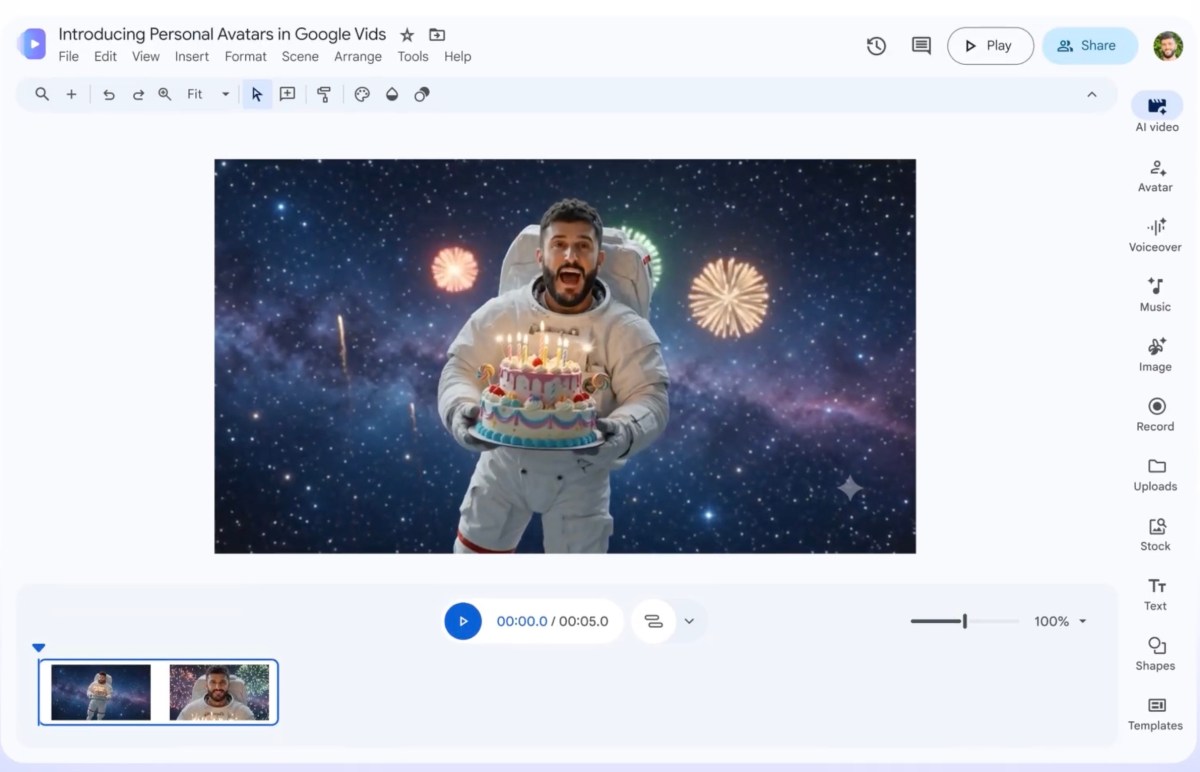
Google Vids launched inside Google Workspace in 2024 and has been quietly expanding ever since. The latest update brings personal AI avatars to the tool. You submit a short video recording of yourself, Google builds a digital version of your face and voice, and from that point forward you can generate videos by typing a script. The avatar speaks your words, mirrors your expressions, and delivers content in your tone.
This is not a gimmick. According to Google, Workspace now serves more than 3 billion users globally. When a platform with that kind of reach adds avatar video creation, it becomes the default option for most people almost overnight. The incumbents in this space, tools like HeyGen and Synthesia, have been charging anywhere from $24 to $350 per month for avatar video creation. Google is folding this into Workspace at no additional cost for qualifying plans.
According to Cisco, video traffic is projected to account for 82% of all internet traffic in 2026. Google is not late to this. They are showing up exactly when the market is at its largest.
Why Most People Will Use This Wrong
Here is the problem I see. Most people will treat Google Vids as a novelty. They will make one video, post it, get a few likes, and call it done. That is the employee mindset applied to a business tool. You treat it like a toy instead of a machine.
The owner mindset looks different. If you can generate a polished video in 10 minutes instead of 3 hours, you do not make one video. You make 20. You build a library. You repurpose your written content into video. You create FAQs, product walkthroughs, training materials, and onboarding sequences. You multiply your output without multiplying your time.
According to HubSpot, video content generates 1200% more shares than text and image content combined. That number has been sitting in the data for years. Most business owners still write blog posts and wonder why nobody reads them.
I have watched this pattern play out with every major content tool. The person who picks it up early and builds a system around it wins. The person who waits until it is obvious leaves the gains on the table.
If you want to start building that system before Google Vids is everywhere, InVideo AI is worth a serious look. It has been purpose built for scaled video content creation and gives you more control over format, branding, and output than a Workspace tool will likely ever allow. The two tools are not in competition. They serve different depths of the same need.
The difference between a passive consumer and an active operator is what you do with the tool on day one versus day 30.
What I Would Do With This Right Now
If you have a Google Workspace account, here is how I would approach this immediately.
Start with your highest performing written content. Take your top five blog posts, your most read emails, your best LinkedIn posts. Turn each one into a script. Feed it into Google Vids with your avatar. You now have a video version of every piece of content you already wrote. That multiplies the work you already did.
Next, build a weekly video habit. Not daily. Weekly is sustainable. Pick one business topic each week and make a two to three minute video on it. Your avatar does the delivery. You spend 15 minutes on the script. Over one year, that is 52 videos stacked up on your channel, your site, and your social feeds.
Third, use it for internal content. Client onboarding videos. Team training. SOPs with a human face on them instead of a screen recording. This is where enterprise teams will find the most value fast.
For anyone who wants to pair Google Vids with other business tools without committing to expensive monthly subscriptions, AppSumo regularly lists lifetime deals on video and content software that complement what Workspace offers. It is worth checking before you stack up recurring fees for every tool in your operation.
The goal is not to make one great video. The goal is to build a content machine that runs on your face and voice without needing you in a recording booth every time.
The Bottom Line
Google just put professional video production within reach of every operator with a Workspace subscription. Businesses that treat this as a strategy tool will build audiences, generate leads, and create trust at a scale that was not possible for small operators before now. Businesses that ignore it will keep wondering why their competitors look so polished. The camera is not required anymore. The excuses are gone too.
Frequently Asked Questions
What is Google Vids and who can use it?
Google Vids is an AI video creation tool built into Google Workspace. It is available to Workspace subscribers and lets users create videos using AI generated avatars, stock footage, and script based narration without any recording equipment.
Can Google Vids actually make a video with my face in it?
Yes. The personal avatar feature lets you submit a short recorded clip of yourself. Google builds a digital likeness that speaks your scripts in future videos. You do not need to record yourself again for each new video you create.
Is Google Vids better than HeyGen or Synthesia for AI video creation?
For most small business owners, Google Vids will be good enough and far cheaper since it is included in Workspace. HeyGen and Synthesia offer more advanced controls and customization, which matter more for agencies and high volume video producers.
How much does Google Vids cost?
Google Vids is part of Google Workspace. Pricing depends on your plan, but for users already paying for Workspace, the avatar video feature adds no extra cost. That makes it one of the lowest cost entries into professional AI video creation available today.
What kinds of videos can I make with Google Vids?
You can make explainer videos, product walkthroughs, training content, social media clips, and client facing presentations. The tool is designed for business use cases rather than entertainment, which makes it a strong fit for operators who need professional output fast.
Get stories like this in your inbox. Daily.
Free. No spam. The AI, tech, and finance stories that move money.